
Feature · Brush Stroke Layer
Brush Stroke Layer: Enlarge Line Art Without Blur
A Solstice paint layer that remembers its brush strokes and draws them again at the new size when you scale it, so small line art enlarges sharply.
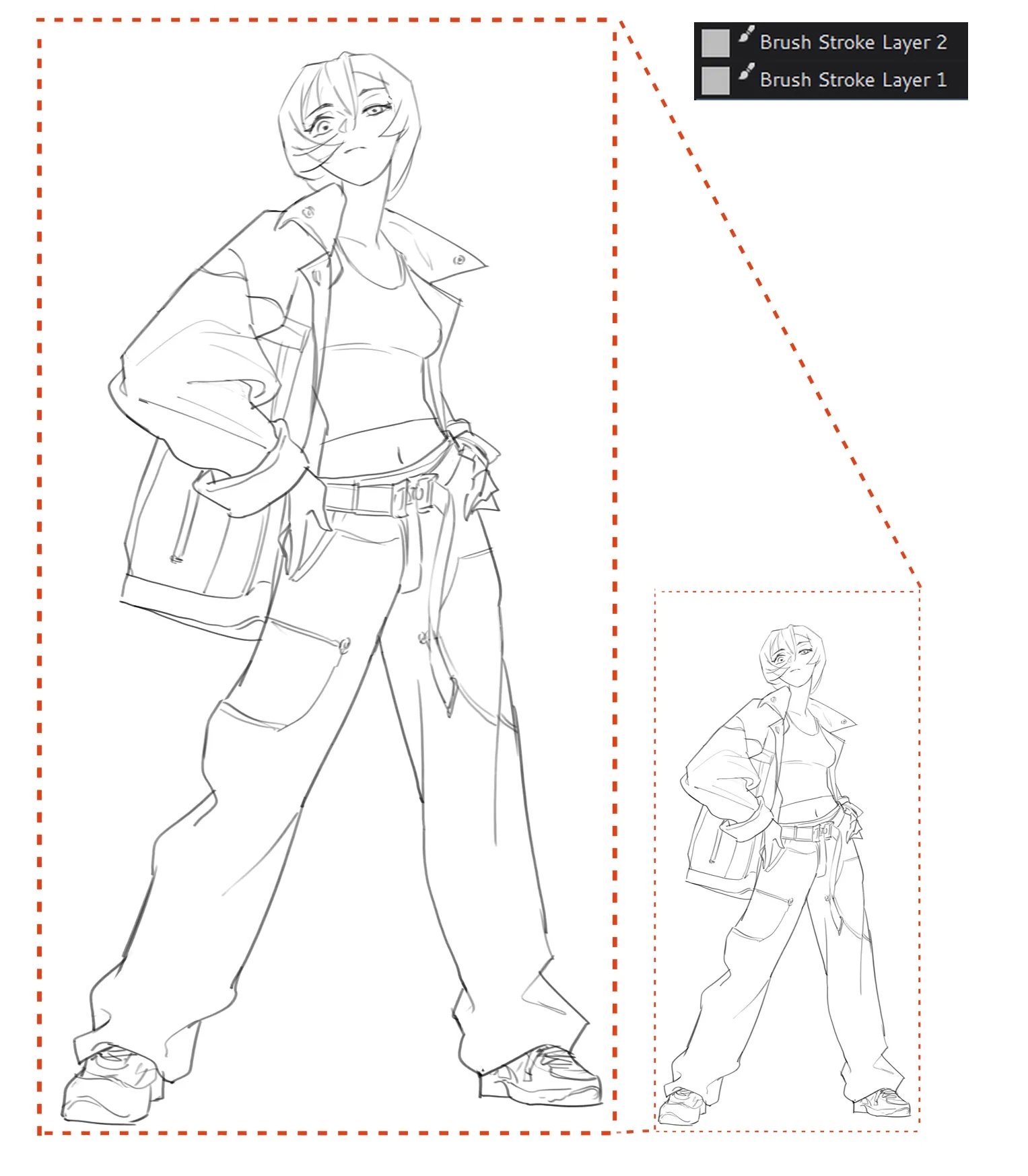
Scaling a normal paint layer resamples its pixels, so enlarged line art turns soft. A Brush Stroke Layer keeps a record of every stroke instead: the brush preset, its colors and settings. When the layer grows, Solstice paints those strokes again at the new size with the same brush, much like the vector layers of Clip Studio Paint, while the layer stays a raster layer you paint on as usual.
How to use it
- In the Layers docker, open the add-layer menu (+) and choose Brush Stroke Layer.
- Draw with the Freehand Brush, Dynamic Brush or Multibrush tool. Erasing is recorded too.
- Enlarge with Image > Scale Image, Layer > Scale Layer or the Transform Tool in Free mode. The strokes are drawn again and the brush size grows with the scale.
- Save as
.krato keep the strokes for later.
What it keeps
- Undo and redo remove and restore a stroke together with its record.
- Moving the layer, or moving part of it with a selection and the Move Tool, moves the recorded strokes along with it.
- Saved files include the brush tips, textures, patterns and gradients the strokes use, imported Photoshop brush tips included, so a file enlarges sharply on another computer. Krita opens the layer as a normal paint layer with the same pixels.
When the pixels change
Filters, other tools and transforms such as rotation or warping change the pixels without a record. Solstice checks in the background whether the layer still matches its strokes; if it does not, a warning sign appears on the layer's thumbnail. Scaling then redraws the parts that still match and resamples only the rest, so no edit is lost.
Limitations
- Strokes on this layer are painted one dab after another so that they can be repeated exactly; very large brushes can feel slower than on a paint layer.
- Shape, fill and gradient tools do not paint on the layer.
- A stroke cut in two by a moved selection cannot be recorded.